Remote Utilities6.3
Publisher Description
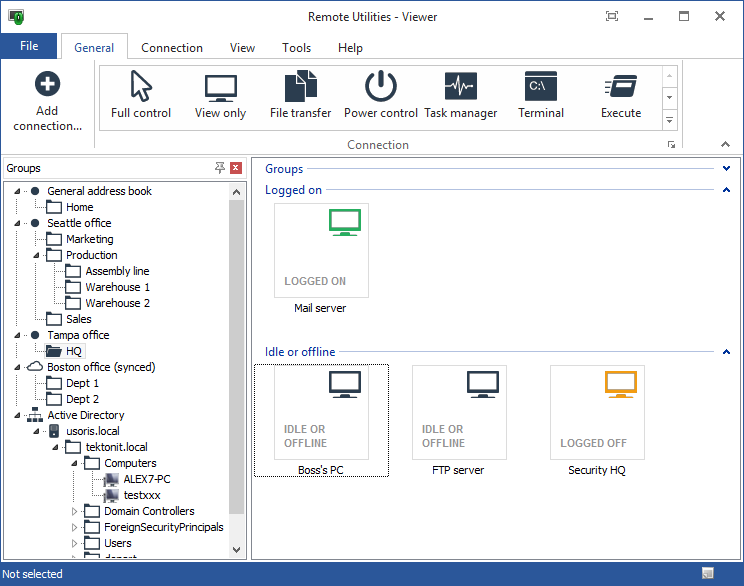
Remote Utilities is remote desktop software for network administration in a Windows domain network. It is closely integrated with Active Directory and provides remote installation across multiple PCs as well as AD authentication support. Remote Utilities can run as a service and grant full control over the remote PC to the administrator in 15 different connection modes. You can connect to remote PCs directly using an IP address or DNS name, or indirectly, either using a global mediation server from the company or a free self-hosted server available for you together with Remote Utilities.
The program can be deployed across an entire Windows domain network using the built-in installation tool and MSI Configurator. You can create three different deployment packages with any combination of parameters. Business users can complete a variety of tasks related to maintaining IT infrastructure. Optimize your PC inventory management with Remote Utilities as a center of operations, save time by eliminating the need to physically access remote PCs, work from home or when traveling by securely connecting to your office computer and get instant access to your files, databases, and software.
Helpdesk providers benefit from the firewall bypass feature that allows firewalls and NAT services to be bypassed when connecting to a remote PC. The program's Agent module of the program runs without installation and administrative privileges. You can customize the Agent file with your logo and welcome text before sending it out to your customers. With Remote Utilities your technical support specialists will be able to provide remote technical assistance to all their clients no matter what their level of computer literacy or how their network is configured.
About Remote Utilities
This Remote Computing program is available in English. It was last updated on 29 September, 2026. Remote Utilities is compatible with the following operating systems: Linux, Windows.
The company that develops Remote Utilities is Usoris Systems. The latest version released by its developer is 6.3. This version was rated by 19 users of our site and has an average rating of 3.7.
The download we have available for Remote Utilities has a file size of 15.7 MB. Just click the green Download button above to start the downloading process. The program is listed on our website since 2015-07-02 and was downloaded 538 times. We have already checked if the download link is safe, however for your own protection we recommend that you scan the downloaded software with your antivirus. Your antivirus may detect the Remote Utilities as malware if the download link is broken.
How to install Remote Utilities on your Windows device:
- Click on the Download button on our website. This will start the download from the website of the developer.
- Once the Remote Utilities is downloaded click on it to start the setup process (assuming you are on a desktop computer).
- When the installation is finished you should be able to see and run the program.
Program Details
System requirements
Download information
Pricing
Version History
version 6.3
posted on 2015-07-02
Minor fixes and improvements
version 5.3
posted on 2012-07-26
4-digit password is now available
Ability to show a disclaimer to a remote customer at session start
Fixed issues when configuring Agent using MSI Configurator
Minor fixes and updates
